 Quietstack
Sentry Bridge for Jira
Sentry errors into Jira issues — automatically, the way the official app should have.
Sentry's own Jira integration only auto-creates issues on Business and Enterprise plans, and its Marketplace app sits at 2.5★ because the config won't load and issues don't get created. Sentry Bridge does the one job people actually want: every error becomes a Jira issue, deduplicated, and reopened when the bug comes back — on any Sentry plan that can send a webhook.
Free for Jira sites up to 10 users · $2 per user / month above that, billed by Atlassian.
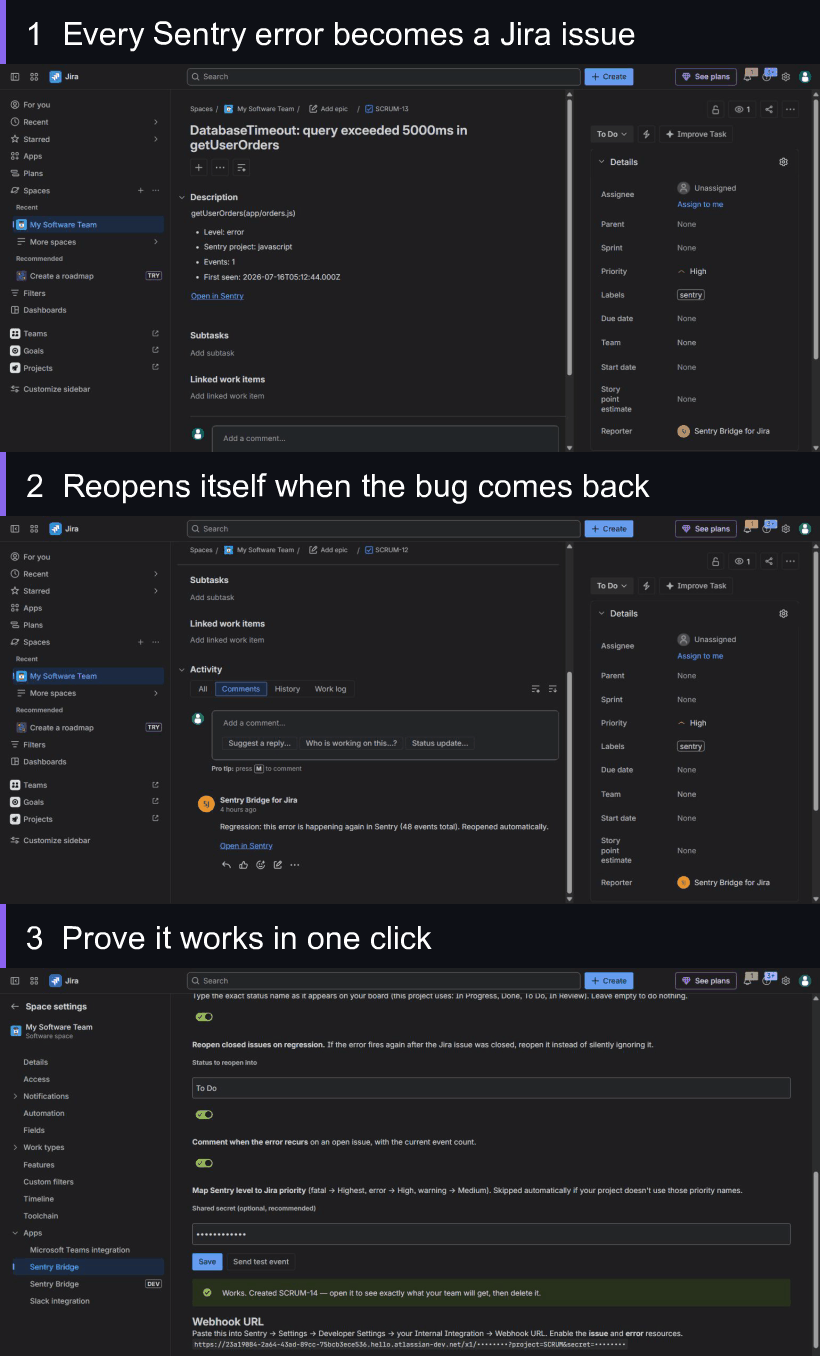
Error → Jira issue → reopened on regression → proven with a one-click test. Real screens, no mockups.
The problem you're here for
If you've searched "Sentry Jira not creating issues" or "Sentry auto-create Jira ticket", you already know the story. Sentry has a Jira integration, but:
Automatic issue creation is gated behind Business/Enterprise plans. On Team or Free you can link issues by hand, but errors don't become tickets on their own.
The official Marketplace app is rated ~2.5★ across ~100 reviews — recurring complaints that the config screen won't load and issues silently aren't created.
Regressions fall on the floor. You close the ticket, the error comes back weeks later, and nothing reopens it.
What Sentry Bridge does instead
One error, one issue — never a flood
A new Sentry error becomes a Jira issue with the culprit, level, environment, event count, first-seen time and a link back to Sentry. The same error firing ten thousand times gives you exactly one issue. Deduplication is the default, not a setting you have to find.
Reopens itself when the bug comes back
This is the one everybody misses. You shipped the fix and closed the ticket. Three weeks later the error returns — Sentry Bridge notices the issue is closed, reopens it, and comments with the current event count. Nothing quietly disappears.
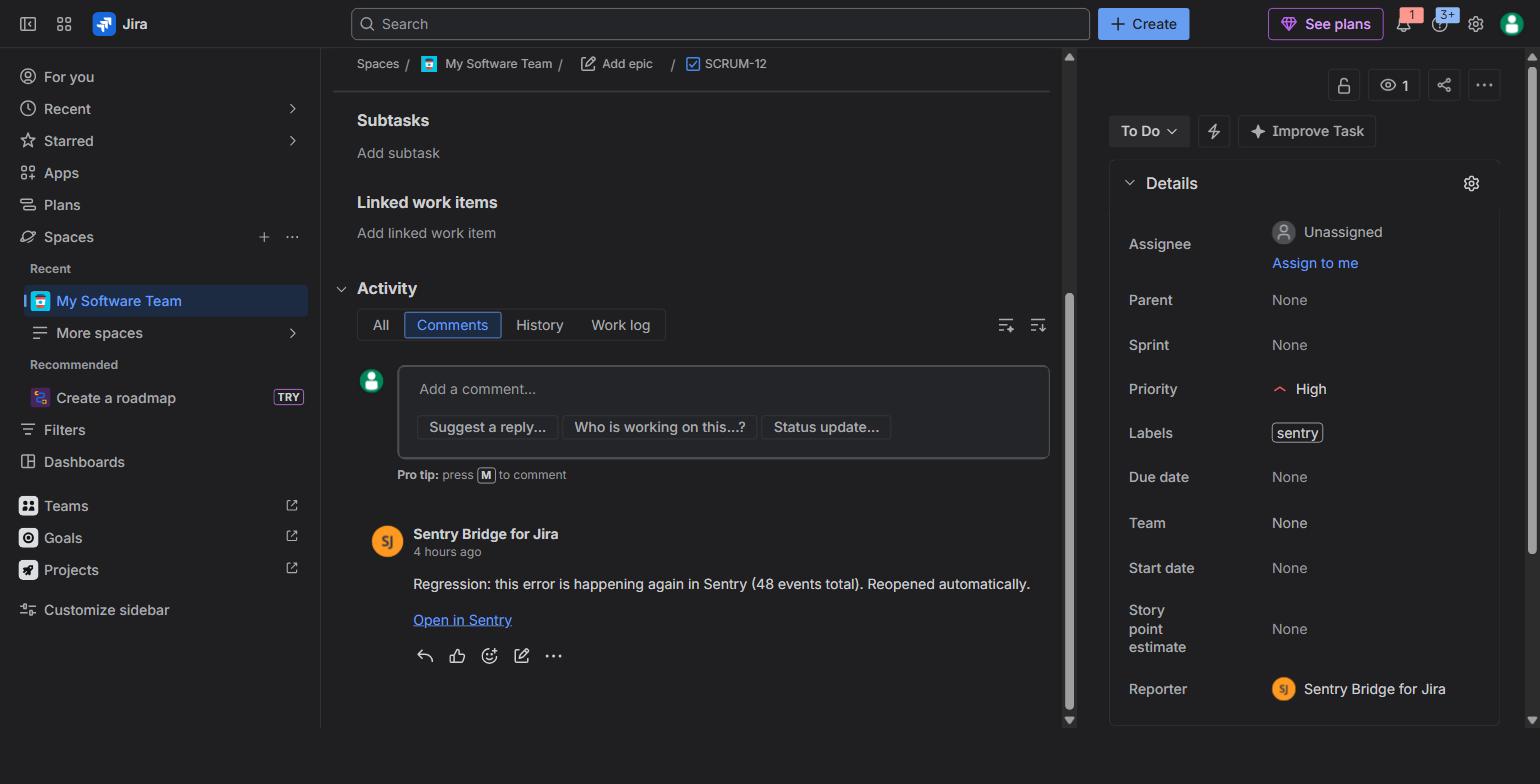
Closed ticket, error returned — reopened automatically, with the live event count.
Prove it works in one click, before your first incident
Press Send test event and the app runs a real event through the whole chain and hands you the Jira issue key. You know it works before you need it — not during an outage.
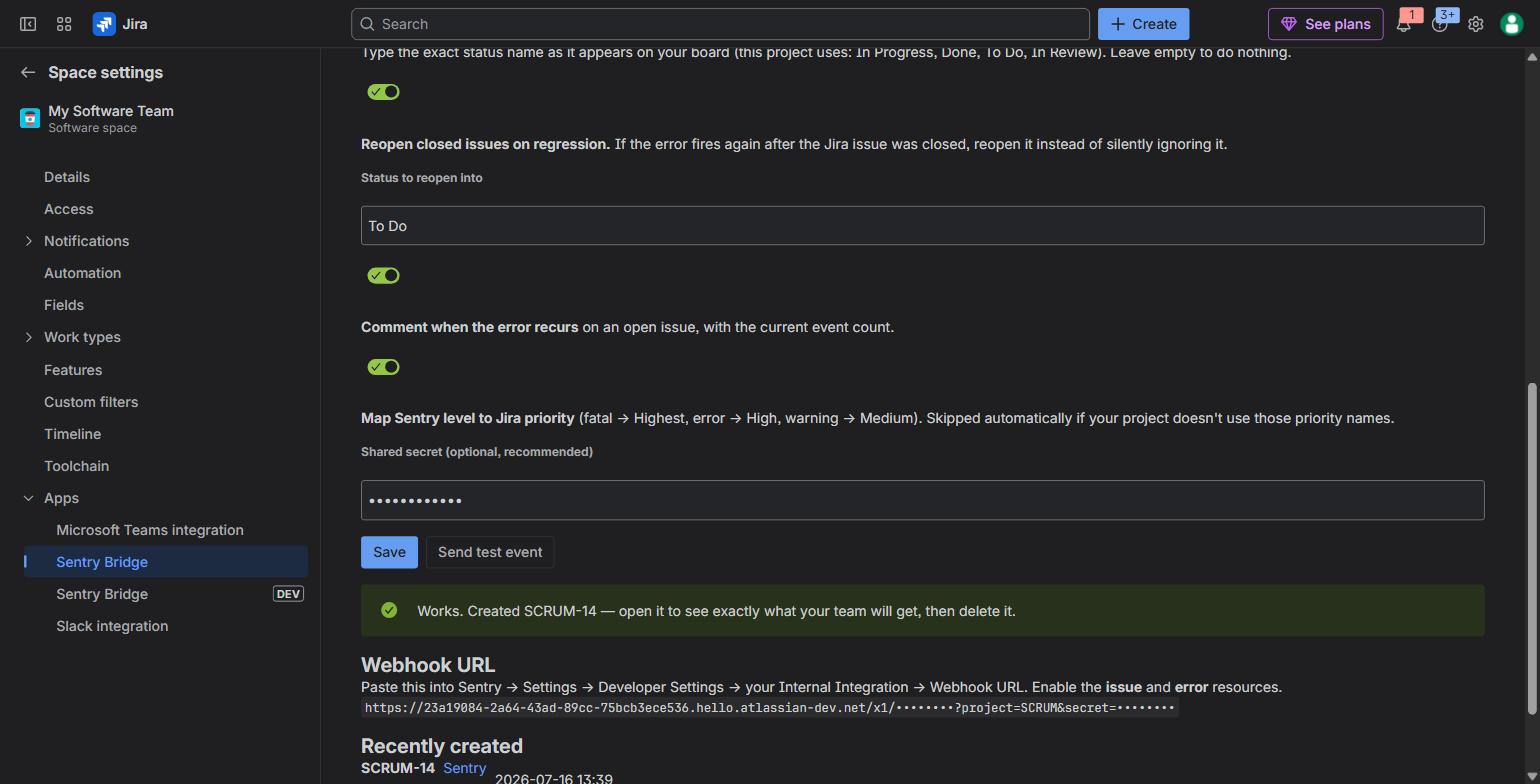
Set up in two fields. The green banner is a real issue it just created end-to-end.
Sentry Bridge vs. the official Sentry app
| Capability | Official Sentry app | Sentry Bridge |
|---|---|---|
| Auto-create Jira issues | Business / Enterprise plans only | Any plan with the issue webhook |
| Deduplicate (one issue per error) | Manual linking | Default |
| Reopen on regression | No | Yes, with event count |
| Move issue on resolve | Limited | To a status you choose |
| One-click test event | No | Yes |
| Runs inside Atlassian, no egress | — | Yes — zero outbound calls |
Built the honest way
A Forge app — no servers of ours, no third parties. The settings screen loads no external scripts, so no ad blocker or corporate proxy can break it.
Zero outbound network calls — verify it on the permission screen at install. We don't track you or your users.
Issue types are addressed by id, so it works on Jira in English, German, Spanish, anything.
Stack traces depend on your Sentry plan's webhook — we say so plainly below, not after you buy.
FAQ
Does Sentry Bridge work on the free / Team Sentry plan?
Yes, as long as your plan can send the issue webhook (available on every Sentry plan). That webhook is what the official app reserves auto-creation for on paid tiers — Sentry Bridge acts on it directly.
Will it include the stack trace in the Jira issue?
Honest answer: it depends on your Sentry plan. The issue.created webhook every plan can use carries the culprit, level, environment, event count and permalink — but not the exception or stack frames. If your plan lets you subscribe to the Errors webhook resource, the exception type and top frames are included too. Either way the "Open in Sentry" link takes you straight to the full trace.
Will I get a flood of duplicate tickets?
No. One Sentry issue maps to one Jira issue for the life of the installation. The same error firing repeatedly updates the one issue instead of creating new ones.
Does any of my data leave Atlassian?
No. Sentry Bridge is a Forge app with no egress permissions in its manifest — it makes zero outbound calls. It stores only your settings and a Sentry-issue → Jira-issue mapping, inside your own Atlassian tenant. Verify the permissions at install.
How much does it cost?
Free for Jira sites up to 10 users; $2 per user / month above that, billed by Atlassian. Standard Marketplace pricing — no separate account, no card details to us.
How long does setup take?
Under five minutes: open Project settings → Sentry Bridge, turn it on, pick an issue type, copy the webhook URL into a Sentry Internal Integration, press Send test event. Full setup guide →
Stop copy-pasting errors into Jira
Free for teams up to 10 users. Set up in under five minutes, and prove it works with a test event before your first incident.
Install from Atlassian Marketplace